Track your MRR without recounting numbers by hand
What is MRR?
MRR (Monthly Recurring Revenue) is the monthly recurring revenue generated by your active subscriptions, normalized to a month — an annual subscription counts as one-twelfth of its amount. It moves every month through four distinct movements: new customers (new), existing customers upgrading (expansion), those downgrading (contraction), and those canceling (churn). Looking only at the total hides which of these movements is actually driving your growth — or holding it back.
The problem
Without a dedicated tool, calculating MRR often means opening Stripe, exporting active subscriptions, and redoing the sum by hand in a spreadsheet every month — risking a missed cancellation or a miscounted mid-month plan change.
What you see
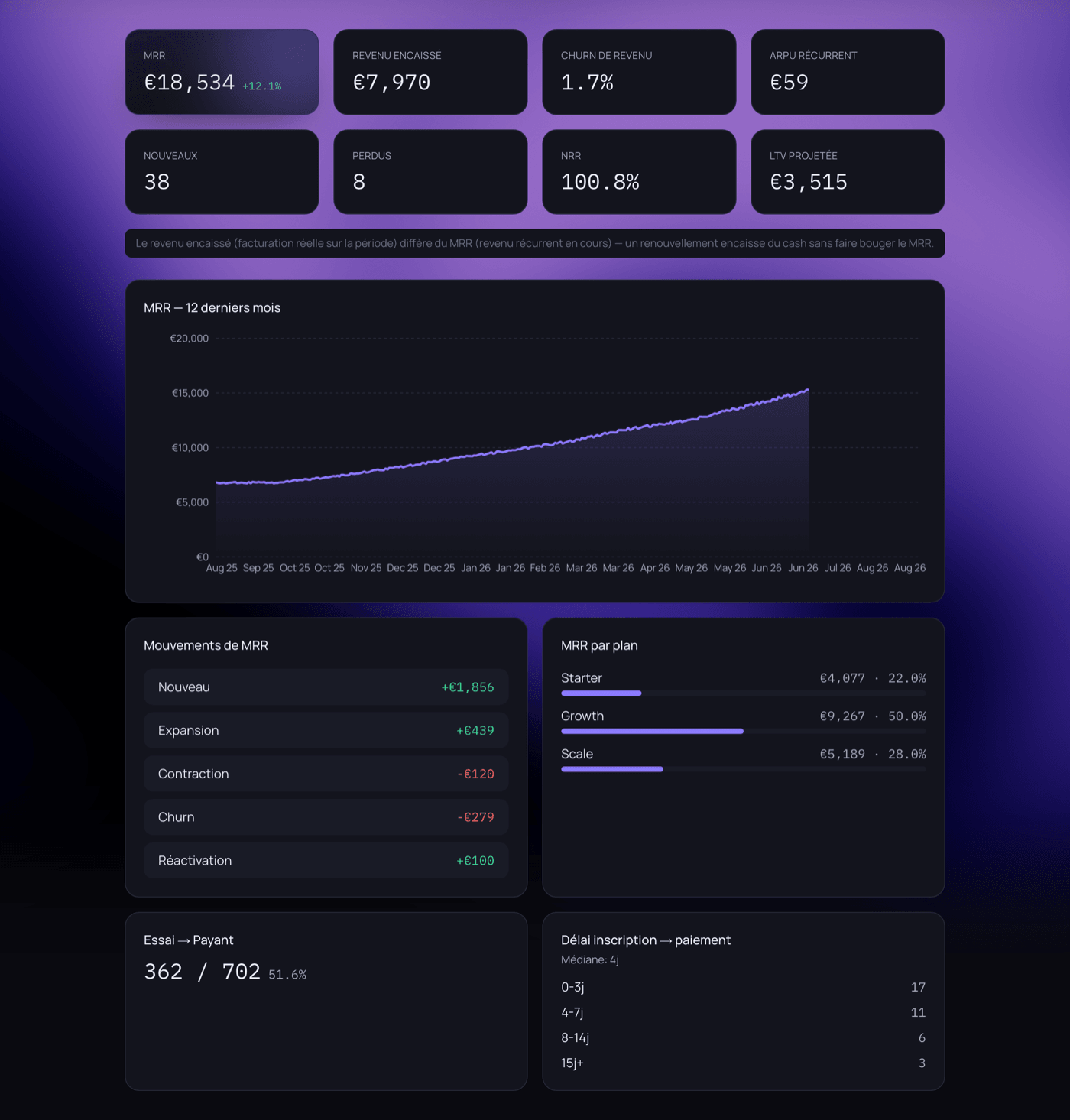
The Revenue page shows current MRR and its change, cash actually collected over the period, revenue churn, recurring ARPU, customers gained and lost, NRR (net revenue retention), and projected LTV. Below that: 12-month MRR history, the breakdown of movements — new, expansion, contraction, churn, reactivation — and MRR by plan.
MRR vs. cash collected: two different numbers
MRR measures ongoing recurring revenue, not the cash actually collected over the period: a renewal collects cash without moving MRR, while a new subscription does both at once. AELYNT shows both separately so you never confuse cash flow with growth.
Why these metrics matter
An NRR above 100% means your existing customers are spending more over time, even before counting new ones — a far more reliable growth signal than total MRR alone. Conversely, a high revenue churn rate can stay invisible if new customers keep compensating for it every month, until acquisition slows down.
How it connects
Connect your Stripe account in a few clicks from the product's settings. AELYNT syncs your subscriptions, customers, and MRR movements automatically, with no manual re-entry or file export.
Frequently asked questions
How does AELYNT calculate MRR?
From active subscriptions synced from Stripe, normalized to a monthly basis — a €240 annual subscription counts as €20 of MRR.
What's the difference between MRR and cash collected?
MRR is ongoing recurring revenue; cash collected is money actually billed over the period. A renewal collects cash without changing MRR.
Does AELYNT handle multiple currencies?
Yes. If your Stripe subscriptions use several currencies, AELYNT shows them separately instead of converting and skewing your numbers.